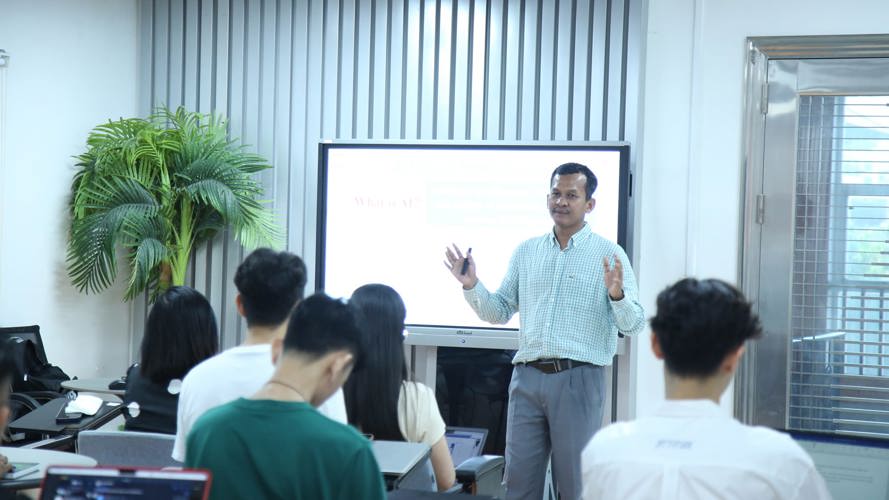
សូមស្វាគមន៍មកកាន់មេរៀនទី១ នៃស៊េរីបទចម្រៀងរៀន Python។
ក្នុងមេរៀននេះ អ្នកនឹងរៀនគំនិតមូលដ្ឋាននៃការសរសេរកម្មវិធី Python តាមរយៈបទចម្រៀងភាសាអង់គ្លេស ច្រៀងយឺតៗ និងមានអារម្មណ៍លំនាំភ្លេងបែបខ្មែរ។
English Description
Welcome to Lesson 1 of our Python learning song series.
In this lesson, you will learn the basic ideas of Python programming through a slow educational song with a Khmer musical feeling.
This lesson covers:
1. What Python is
2. Variables
3. Data types
4. How to store values in variables
5. How to use input()
6. How to use print()
7. A simple Python example with clear comments
This song is designed for beginners, students, and anyone who wants to learn programming step by step.
Khmer Description
សូមស្វាគមន៍មកកាន់មេរៀនទី១ នៃស៊េរីបទចម្រៀងរៀន Python។
ក្នុងមេរៀននេះ អ្នកនឹងរៀនគំនិតមូលដ្ឋាននៃការសរសេរកម្មវិធី Python តាមរយៈបទចម្រៀងភាសាអង់គ្លេស ច្រៀងយឺតៗ និងមានអារម្មណ៍លំនាំភ្លេងបែបខ្មែរ។
មេរៀននេះមាន៖
1. Python គឺជាអ្វី
2. អញ្ញត្តិ / Variable
3. ប្រភេទទិន្នន័យ / Data Types
4. របៀបផ្ទុកតម្លៃក្នុងអញ្ញត្តិ
5. របៀបប្រើ input()
6. របៀបប្រើ print()
7. ឧទាហរណ៍កូដ Python មាន Comments ពន្យល់ជាខ្មែរ និងអង់គ្លេស
បទនេះរៀបចំសម្រាប់អ្នកចាប់ផ្តើម សិស្ស និស្សិត និងអ្នកដែលចង់រៀនសរសេរកម្មវិធីម្តងមួយជំហាន។
________________________________________
Lesson Summary for YouTube
English
In Python, a variable is used to store a value.
A data type tells Python what kind of value it is.
For example, a number, text, or true/false value.
We use input() to receive data from the user.
We use print() to show information on the screen.
Khmer
ក្នុង Python អញ្ញត្តិប្រើសម្រាប់រក្សាទុកតម្លៃ។
ប្រភេទទិន្នន័យប្រាប់ Python ថាតម្លៃនោះជាប្រភេទអ្វី។
ឧទាហរណ៍៖ លេខ អត្ថបទ ឬតម្លៃពិត/មិនពិត។
យើងប្រើ input() ដើម្បីទទួលទិន្នន័យពីអ្នកប្រើ។
យើងប្រើ print() ដើម្បីបង្ហាញព័ត៌មានលើអេក្រង់។
________________________________________
Python Code Example for YouTube
Lesson 1: Python Basics
មេរៀនទី១៖ មូលដ្ឋាន Python
Ask the user to enter their name
សួរអ្នកប្រើឱ្យបញ្ចូលឈ្មោះរបស់គាត់
name = input("Enter your name: ")
Ask the user to enter their age
សួរអ្នកប្រើឱ្យបញ្ចូលអាយុរបស់គាត់
age = input("Enter your age: ")
Store a score as an integer number
រក្សាទុកពិន្ទុជាចំនួនគត់
score = 95
Store a decimal number as a float
រក្សាទុកលេខទសភាគជា float
height = 1.65
Store a true or false value as a boolean
រក្សាទុកតម្លៃពិត ឬមិនពិតជា boolean
is_student = True
Show a greeting message
បង្ហាញសារស្វាគមន៍
print("Hello,", name)
Show the user's age
បង្ហាញអាយុរបស់អ្នកប្រើ
print("You are", age, "years old.")
Show the score
បង្ហាញពិន្ទុ
print("Your score is", score)
Show the height
បង្ហាញកម្ពស់
print("Your height is", height)
Show whether the user is a student
បង្ហាញថាអ្នកប្រើជាសិស្សឬអត់
print("Student status:", is_student)
________________________________________
Code Explanation
English
name = input("Enter your name: ")
This line asks the user to enter a name and stores it in the variable name.
age = input("Enter your age: ")
This line asks the user to enter an age and stores it in the variable age.
score = 95
This line stores an integer value in the variable score.
height = 1.65
This line stores a decimal number in the variable height.
is_student = True
This line stores a boolean value. Boolean values can be True or False.
print()
The print() function shows information on the screen or console.
Khmer
name = input("Enter your name: ")
បន្ទាត់នេះសួរអ្នកប្រើឱ្យបញ្ចូលឈ្មោះ ហើយរក្សាទុកក្នុងអញ្ញត្តិ name។
age = input("Enter your age: ")
បន្ទាត់នេះសួរអ្នកប្រើឱ្យបញ្ចូលអាយុ ហើយរក្សាទុកក្នុងអញ្ញត្តិ age។
score = 95
បន្ទាត់នេះរក្សាទុកតម្លៃជាចំនួនគត់ក្នុងអញ្ញត្តិ score។
height = 1.65
បន្ទាត់នេះរក្សាទុកលេខទសភាគក្នុងអញ្ញត្តិ height។
is_student = True
បន្ទាត់នេះរក្សាទុកតម្លៃ boolean។ Boolean មានតម្លៃ True ឬ False។
print()
អនុគមន៍ print() ប្រើសម្រាប់បង្ហាញព័ត៌មានលើអេក្រង់ ឬក្នុងកុងសូល។
________________________________________
Suggested Pinned Comment
English:
What did you learn from Lesson 1? Try changing the name, age, score, and height in the code. Then run it again and see what happens.
Khmer:
តើអ្នកបានរៀនអ្វីខ្លះពីមេរៀនទី១? សូមសាកល្បងប្តូរ name, age, score និង height ក្នុងកូដ។ បន្ទាប់មក Run ម្តងទៀត ហើយមើលថាលទ្ធផលផ្លាស់ប្តូរយ៉ាងដូចម្តេច។
________________________________________
Hashtags
#Python #LearnPython #PythonForBeginners #CodingSong #KhmerEducation #ProgrammingForStudents #PythonBasics #រៀនPy
មិនទាន់មានមតិយោបល់ — ក្លាយជាអ្នកដំបូង!